Evidence Linking
How do I prove work was done?
Why Link Evidence?
Evidence linking connects your survey data (road segments, tagged assets) to BQ lines and claims. This creates an audit trail that proves quantities are justified by actual field measurements. Auditors and clients can trace any claimed amount back to specific GPS-tagged survey data.
Evidence Flow
Survey Data
Segments & Assets
BQ Lines
Quantities justified
Claims
Payment basis
Evidence flows from surveys → BQ → Claims. Each link creates an audit trail.
What can I link as evidence?
GPS-measured road sections with defect classifications. Contains length, width, area, and condition data.
Best for: Pavement works, surface repairs
Road furniture identified and classified from survey videos. Contains GPS location, asset type, and condition.
Best for: Signs, guardrails, drainage
How do I link segments to BQ lines?
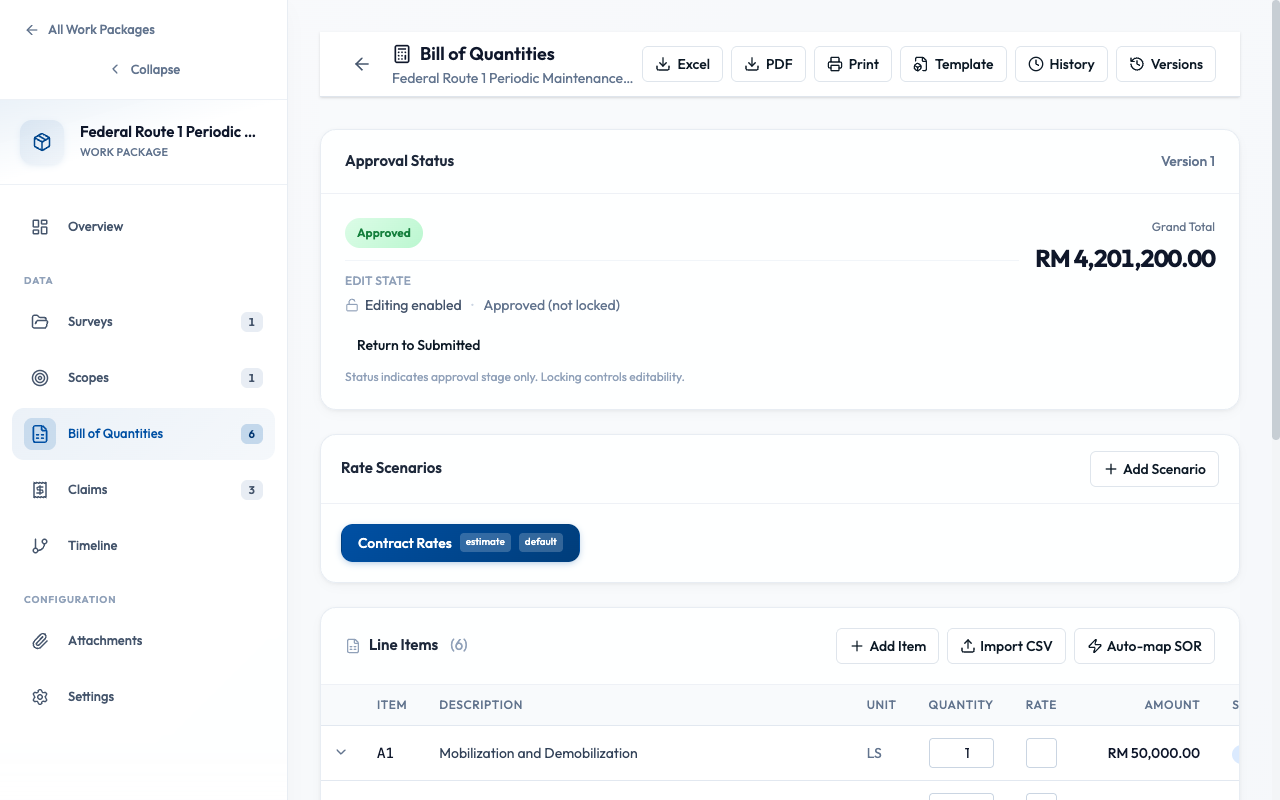
- Open your Work Package and go to the BQ tab
- Expand a BQ line to see its details
- Click "Link Evidence" button
- In the Evidence Picker, select the Segments tab
- Filter by survey, defect type, or chainage range
- Select segments that justify this BQ line quantity
- Click "Link Selected"
How do I link assets to claim lines?
For claims, you can link both segments and assets to justify the "This Claim Qty" values.
- Open your Claim from the Work Package Claims tab
- Expand a claim line to see its details
- Click "Link Evidence"
- Switch to Assets tab in the picker
- Filter by asset type (signs, guardrails, etc.)
- Select assets that were installed/replaced this claim period
- Click "Link Selected"
Note: Evidence linked to BQ lines is inherited by claim lines. You can add additional evidence specific to each claim period.
How does evidence flow from BQ to Claims?
BQ-Level Evidence
Justifies the total contract quantity for a line item
Claim-Level Evidence
Justifies the "This Claim Qty" for a specific claim period
When you create a claim, it inherits BQ line evidence. Add claim-specific evidence to show work done in that particular period.
Best Practices
- Link evidence before submitting claims
- Match evidence type to BQ item (segments for pavement, assets for furniture)
- Add claim-specific evidence for each claim period
- Verify evidence is within work package scope
- Submit claims without evidence (weak in disputes)
- Link the same evidence to multiple BQ lines
- Delete survey data after linking to claims
- Link evidence outside the work package scope