Schedule of Rates
Where do my rates come from?
What is a Rate Book?
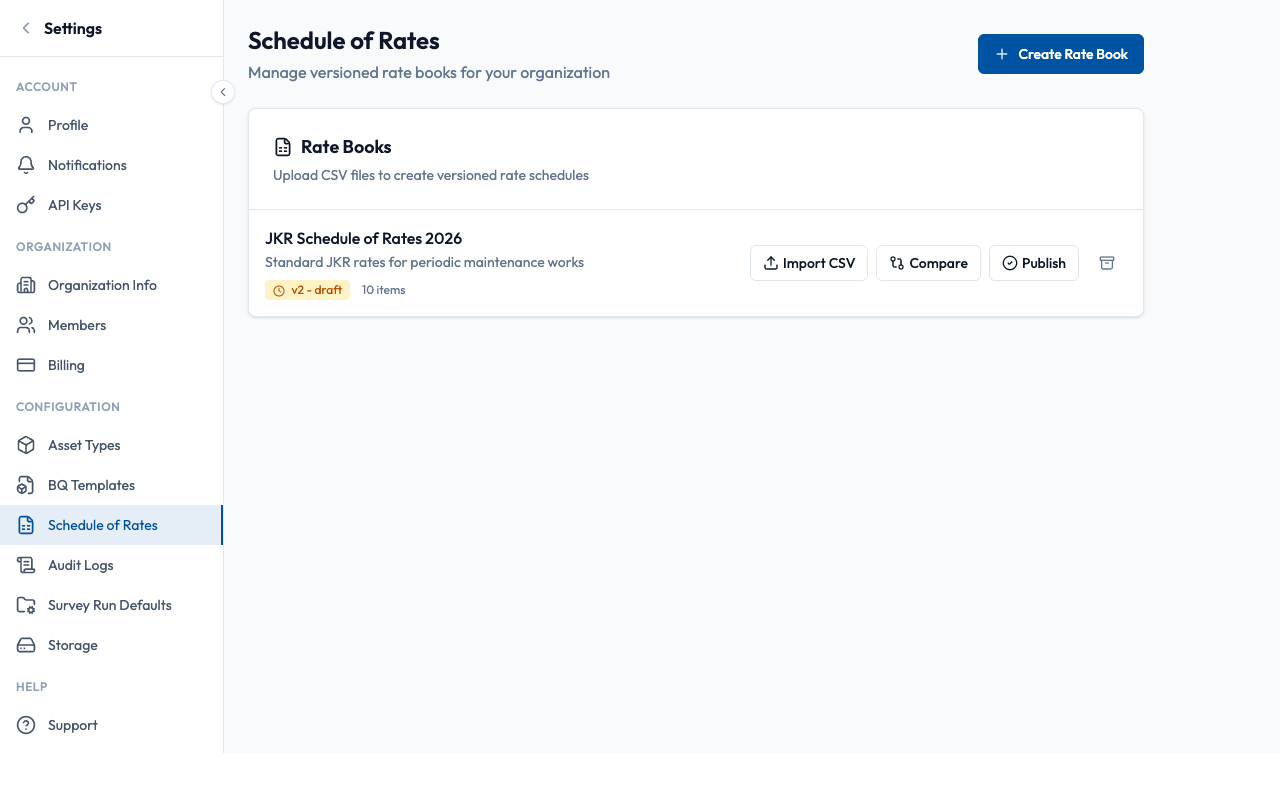
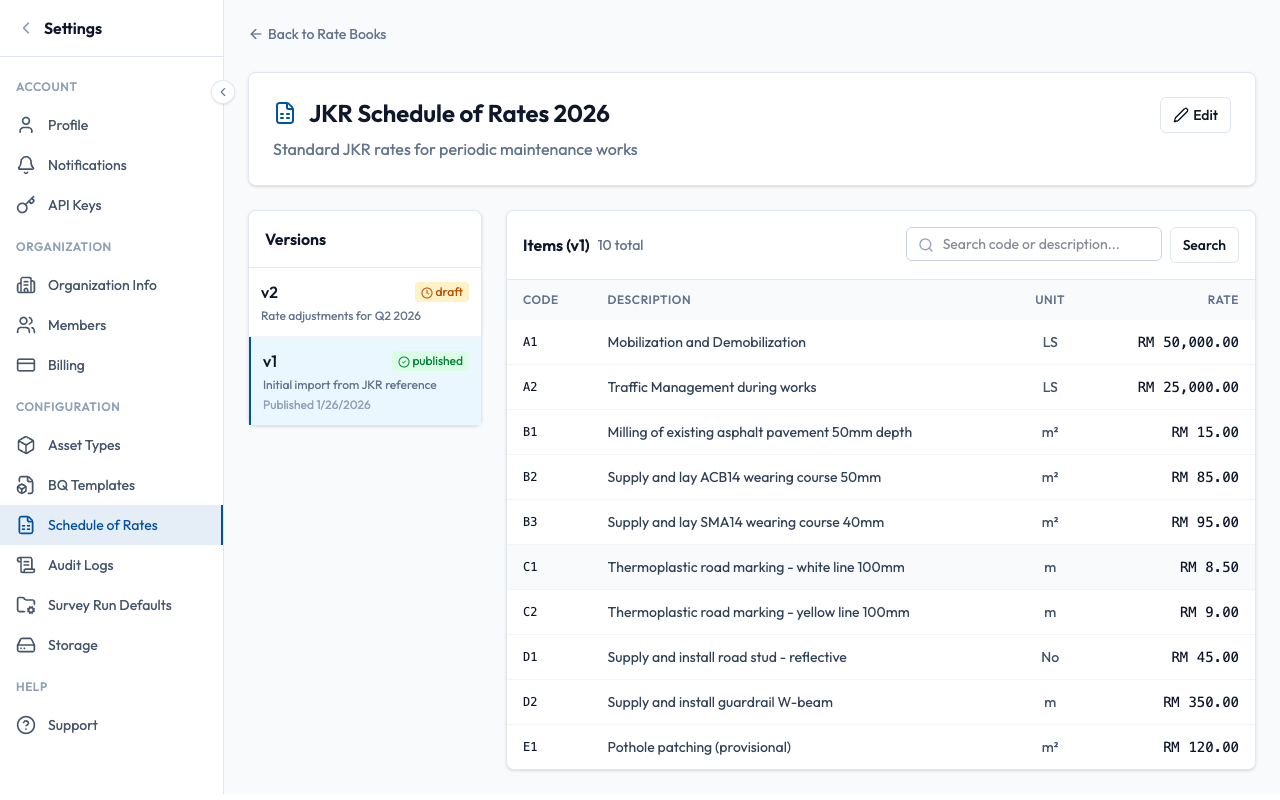
A Rate Book is your organization's official price list for road works. It contains item codes, descriptions, units, and rates from JKR/client schedules. Rate books are versioned — once published, a version becomes immutable (cannot be edited) to preserve audit trails.
How do I set up rates for a new contract?
- Navigate to Settings → Schedule of Rates (organization level)
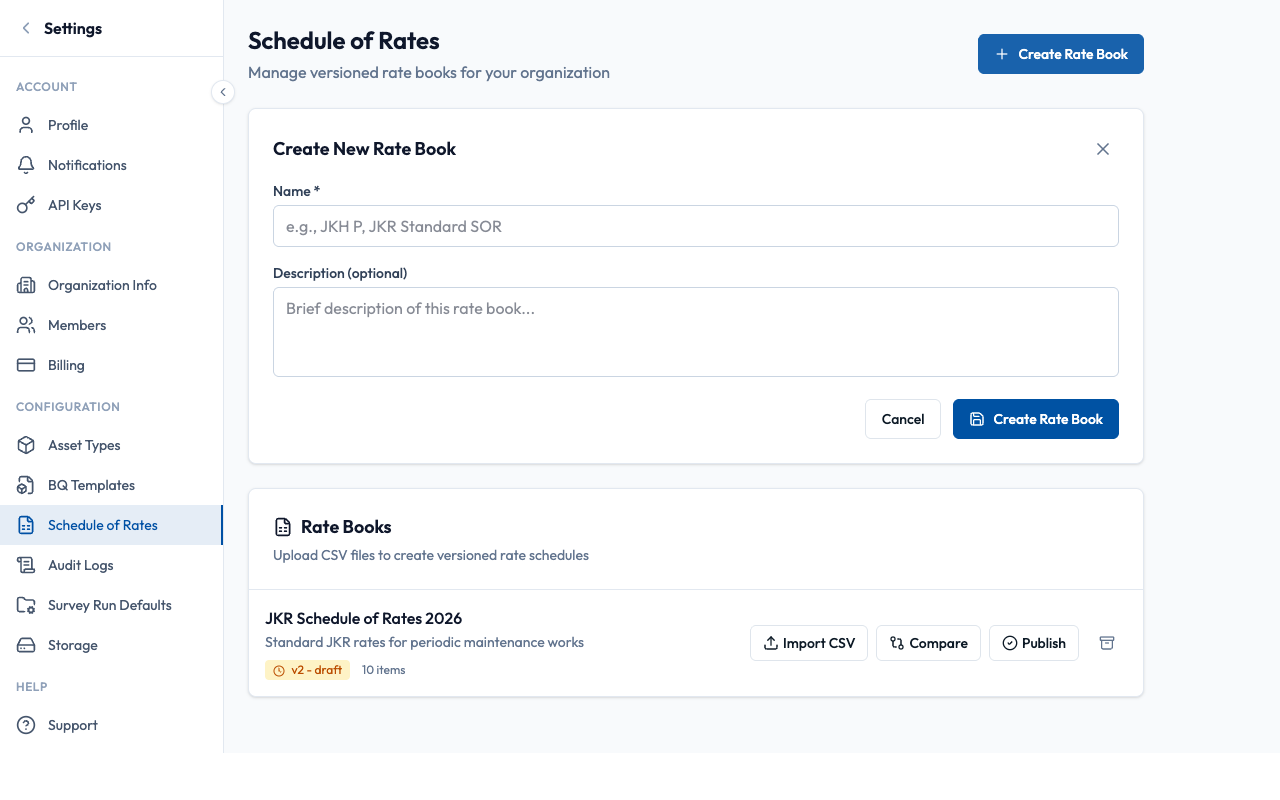
- Click "Create Rate Book"
- Enter a name (e.g., "JKH P - Pavement Works 2026")
- Add an optional description
- Click "Create" — this creates an empty rate book
How do I import rates from JKR/client files?
RoadAsset supports importing rates from multiple formats. The system auto-detects columns and creates a draft version for review.
Simple comma-separated files. Fastest import.
.xlsx/.xls files. Supports multiple sheets.
Assisted import with review. Best-effort extraction.
- Open your rate book and click "Import CSV"
- Select or drag-drop your file
- System detects columns:
code,description,unit,rate - For PDF: Review extracted data and adjust column mapping if needed
- Add an optional change summary (e.g., "Initial import from JKR 2026")
- Click "Import & Create Draft"
What happens when I publish a version?
Editable, can import more rows
Locked, ready for BQ linking
To make changes after publishing, import a new version. Each version has a number (v1, v2, v3...) and the system tracks which BQ lines use which version.
How do I connect rates to my BQ lines?
There are two ways to link SOR items to BQ lines: bulk mapping (recommended) or individual linking.
Auto-match BQ lines to SOR items by code or fuzzy description matching.
Best for: Initial setup, large BQ documents
Manually pick SOR item for each BQ line with search.
Best for: Corrections, special items
When linking, choose a link mode:
Snapshot Mode
Rate is captured at link time. Never changes, even if SOR updates.
Use for: Contract rates, fixed pricing
Track Latest Mode
Rate updates when new SOR version is published and you resync.
Use for: Estimates, internal pricing
See BQ Generation Guide for detailed linking workflow.
What changed between rate versions?
Use the Compare Versions feature to see exactly what changed between any two versions:
- + Added items — new codes in the newer version
- − Removed items — codes no longer in the newer version
- ~ Changed items — rate, description, or unit modified
Best Practices
- Review imported data before publishing
- Add change summaries when importing versions
- Use snapshot mode for contract-linked BQ lines
- Compare versions before applying rate updates
- Publish without verifying all rates are correct
- Expect to edit published versions (they're locked)
- Use track-latest for contract-linked pricing
- Resync BQ lines after claims are certified
What Auditors Will Ask
sor_linked or sor_resynced events.